Cross Browser Testing Best Practices Every QA Team Should Follow
What Is Cross Browser Testing and Why Is It Important?
Web applications are accessed through different browsers, operating systems, devices, and browser versions. As a result, an application that works correctly in one browser may display differently or behave unexpectedly in another. Cross Browser Testing helps QA teams identify these compatibility issues by validating application functionality, layout, navigation, and user interactions across multiple browser environments.
A consistent experience across supported browsers is important for maintaining application quality and avoiding browser-specific issues that can affect usability. An effective testing approach considers the browsers and versions most relevant to the application's users and business requirements. QARA enterprise supports functional UI test automation, helping QA teams automate repeatable test scenarios and improve testing coverage. This guide explores practical Cross Browser Testing Best Practices that can help organizations identify compatibility issues earlier and deliver more consistent web application experiences.
How Do Browser Compatibility Testing and UI Testing Improve Web Application Quality?
Web applications can behave differently across browsers due to variations in rendering engines, browser versions, operating systems, and supported web technologies. Browser Compatibility Testing helps QA teams verify that an application's functionality, layout, navigation, and interactive elements work as expected across the browsers included in the testing scope. Identifying these differences early can help prevent browser-specific issues from reaching end users.
UI Testing is another important part of cross-browser validation. It focuses on checking whether elements such as menus, forms, buttons, images, text, and page layouts are displayed and behave correctly across different browser environments. Even when the underlying functionality works, differences in rendering can affect how users interact with an application.
Combining Browser Compatibility Testing with UI Testing allows QA teams to evaluate both functional behaviour and visual consistency across supported browsers. With QARA, teams can automate functional UI test scenarios and execute repeatable tests, helping improve coverage and identify compatibility issues more efficiently.
How Do Chrome Testing, Firefox Testing, and Edge Testing Improve Browser Coverage?
Web applications may display or behave differently across browsers because of differences in rendering, browser versions, operating systems, and supported web technologies. Chrome Testing and Firefox Testing help QA teams validate application functionality and user interface behaviour across widely used browser environments. Testing across multiple browsers can reveal rendering differences, interaction issues, and compatibility problems that may not be visible when an application is tested on only one browser.
Edge Testing can also be included in the browser testing scope when it is part of an organization's supported browser environment. Teams should define their browser matrix based on their target users and business requirements and then validate important workflows, forms, navigation, page layouts, and interactive elements across those environments.
QARA supports multi-browser and multi-platform testing, helping QA teams automate functional UI test scenarios across different browser environments. QARA also supports integrations with platforms such as BrowserStack and Sauce Labs, allowing teams to extend their browser and device testing coverage. This approach can help identify compatibility issues earlier and provide greater confidence in consistent web application behaviour across supported browsers.
What Are QARA Test Cross Browser Testing Best Practices?
Following effective cross-browser testing practices helps QA teams identify browser-specific issues before they affect users. A structured approach should consider the browsers, versions, operating systems, and application workflows that are most relevant to the target audience rather than attempting to test every possible environment.
QARA Enterprise Cross Browser Testing Best Practices include:
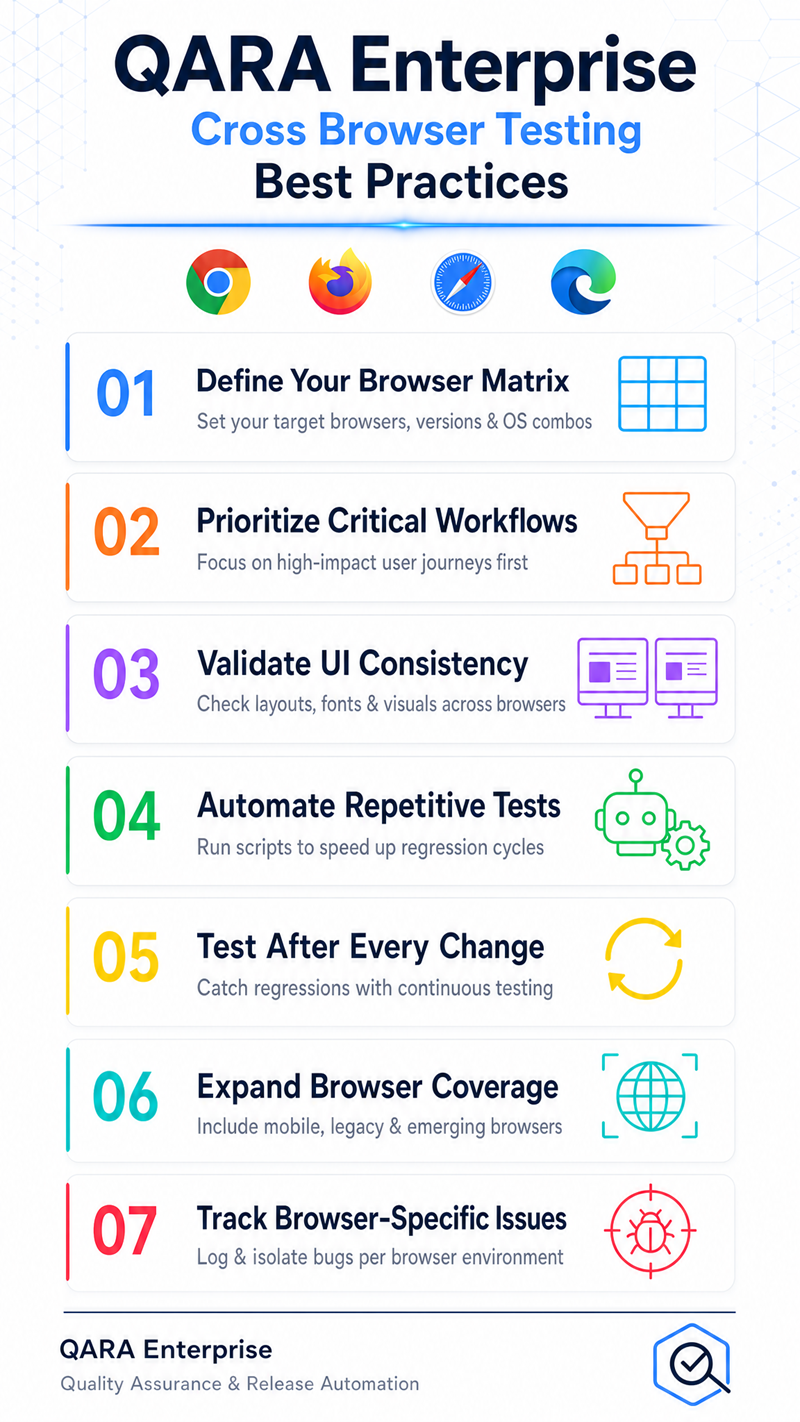
- Define a browser testing matrix: Identify the browsers, versions, operating systems, and environments that require testing based on user and business requirements.
- Prioritize critical workflows: Focus on essential functions such as login, registration, forms, navigation, transactions, and other high-priority user journeys.
- Validate UI consistency: Check layouts, buttons, menus, images, fonts, and interactive elements across supported browsers.
- Automate repetitive scenarios: Use functional UI automation for repeatable test cases to improve consistency and reduce repetitive testing effort.
- Test after application changes: Re-run relevant browser test scenarios after updates to identify compatibility regressions.
- Use broader browser environments when required: Integrate with platforms such as BrowserStack or Sauce Labs to extend browser and device coverage.
- Track browser-specific issues: Document recurring compatibility problems and use test results to improve future testing cycles.
QARA's multi-browser and multi-platform testing capabilities can help QA teams execute repeatable functional UI tests across supported environments. By combining appropriate browser coverage with automation and structured testing practices, organizations can identify compatibility issues earlier and deliver more consistent web application experiences.
Key Takeaways on Cross Browser Testing Best Practices
Cross Browser Testing is an important part of delivering consistent and reliable web applications across different browsers and environments. From Browser Compatibility Testing and UI Testing to Chrome, Firefox, and other supported browser environments, a structured testing approach helps QA teams identify rendering differences, functional issues, and compatibility gaps before they affect users.
With QARA, organizations can support multi-browser and multi-platform testing while automating functional UI test scenarios across supported environments. By defining the right browser testing matrix, prioritizing critical workflows, validating UI consistency, and automating repeatable scenarios, QA teams can improve test coverage, identify compatibility issues earlier, and build greater confidence in application releases.
Ready to strengthen your cross-browser testing process? Start your free trial of QARA today and explore a more efficient approach to functional UI test automation.
In our next blog, we'll explore Software Testing Metrics and examine the key metrics QA teams can use to measure testing effectiveness, track quality, identify improvement areas, and make more informed software testing decisions.
Key Questions About Cross Browser Testing
What is Cross Browser Testing? Cross Browser Testing is the process of checking whether a web application functions and displays correctly across different browsers, browser versions, operating systems, and supported environments.
Why is Cross Browser Testing important? Yes, absolutely. It helps identify browser-specific functionality, rendering, navigation, and UI issues that may not appear when an application is tested on only one browser.
What is Browser Compatibility Testing? Browser Compatibility Testing verifies that an application's features and interface work as expected across the browsers and environments included in the testing scope.
How does UI Testing support Cross Browser Testing? Yes, it plays an important role. UI Testing helps verify that elements such as forms, buttons, menus, images, fonts, and page layouts remain functional and consistent across supported browsers.
Should organizations test applications on Chrome, Firefox, and Edge? Yes, when these browsers are part of the target user environment. Organizations should define their browser testing matrix based on their users, application requirements, and supported browser environments.
Can Cross Browser Testing be automated? Yes, absolutely. Automated functional UI testing can help QA teams repeatedly execute test scenarios across supported browser environments, reducing repetitive manual effort and improving testing consistency.
What are the best practices for Cross Browser Testing? Key practices include defining a browser testing matrix, prioritizing critical workflows, checking UI consistency, automating repetitive scenarios, testing after application changes, and tracking browser-specific issues.
Can QARA support Cross Browser Testing? Yes. QARA supports multi-browser and multi-platform testing and functional UI test automation. It also supports integrations with platforms such as BrowserStack and Sauce Labs to help extend browser and device testing coverage.
How can QARA improve Cross Browser Testing? QARA can help QA teams automate repeatable functional UI test scenarios across supported environments, improve test coverage, and identify browser compatibility issues earlier in the testing process.
Write a comment

Subscribe To Our Newsletter
Join our mailing list to receive the latest blogs and updates.